Racing Calendar
Subscribe to live session feeds for Apple Calendar, Google Calendar, or Outlook. Copy a link and add it as a new calendar subscription — it stays in sync automatically.
Follow the championships you love — straight to your calendar.
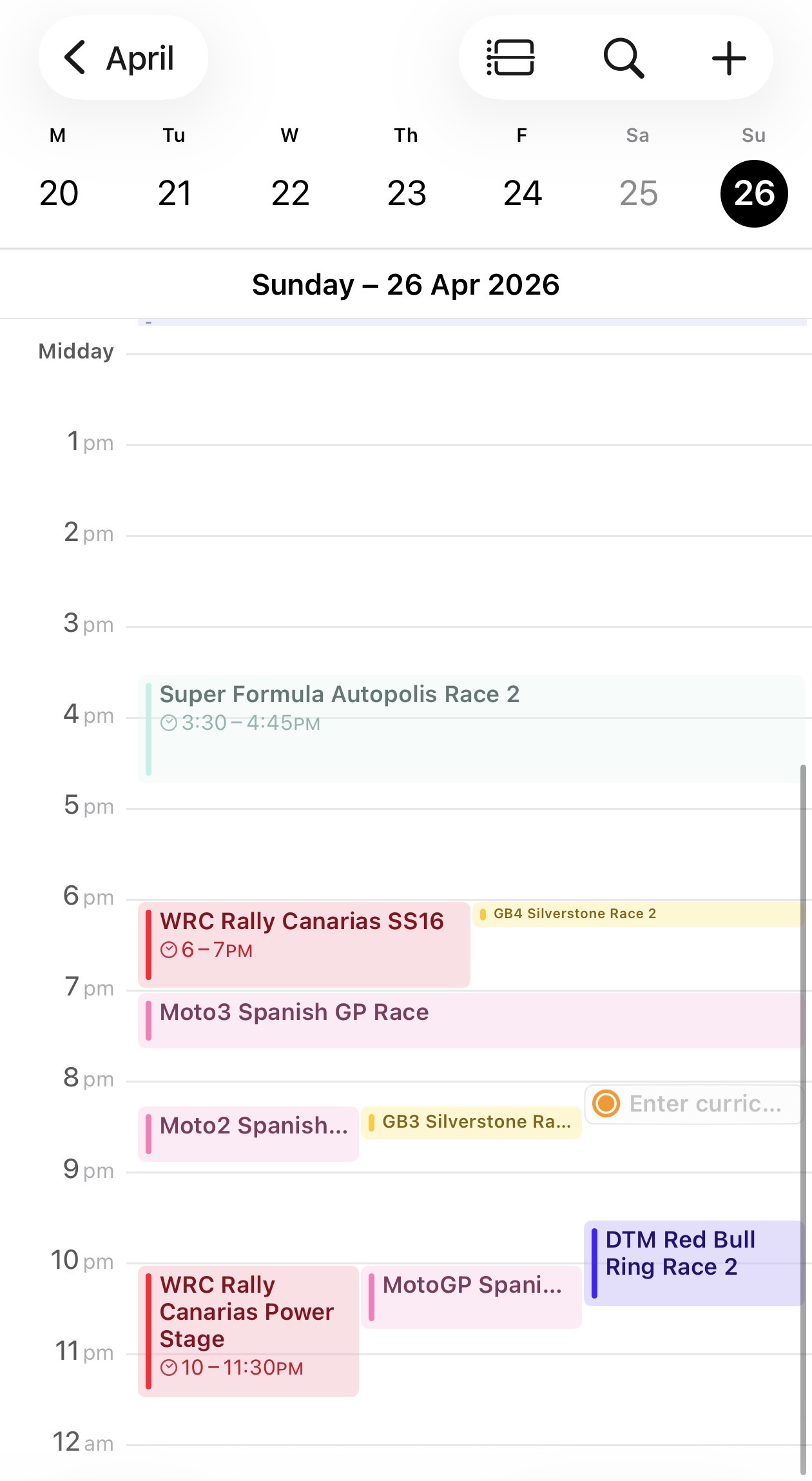
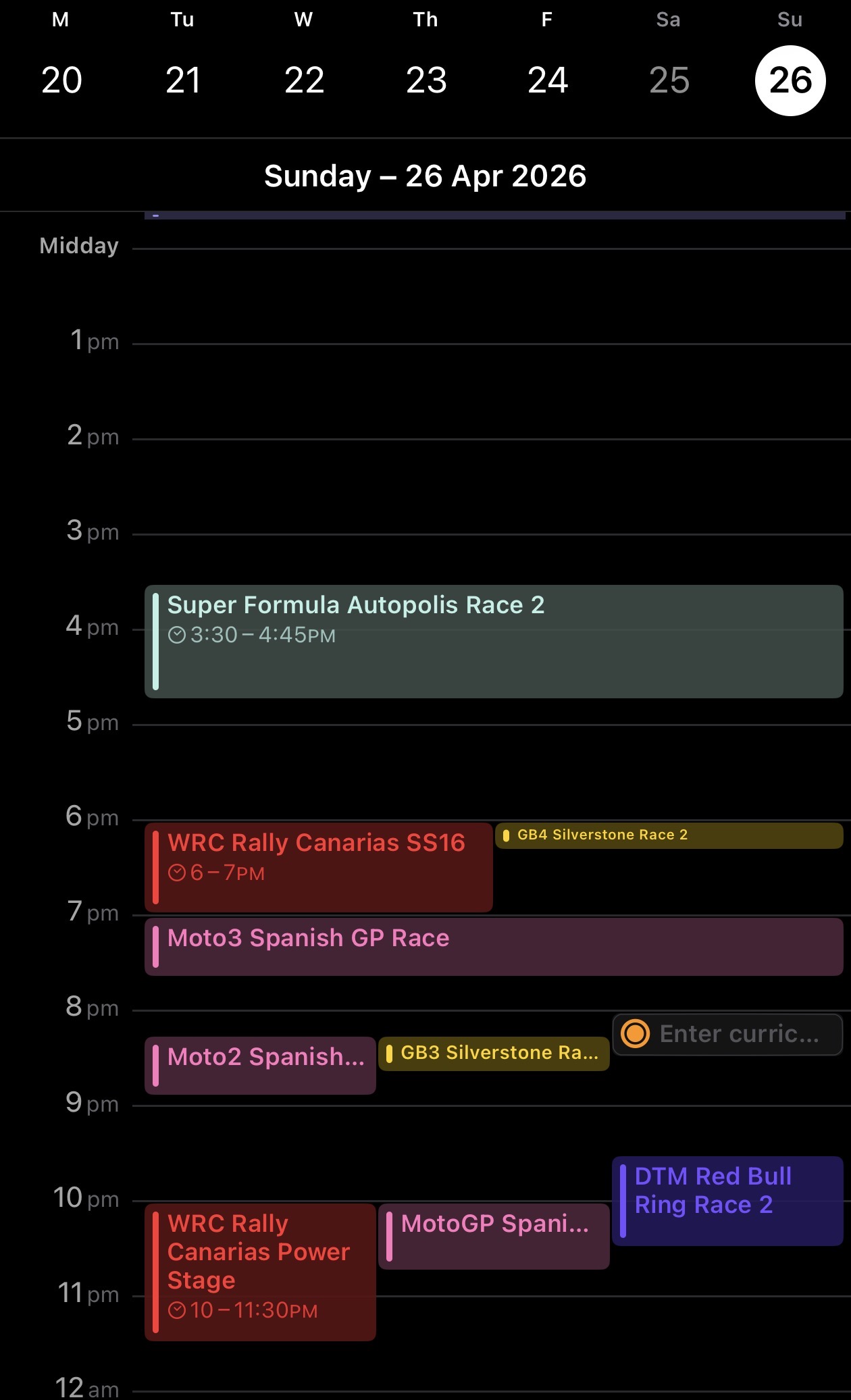
How it looks in Apple Calendar
Apple Calendar (iPhone, iPad, Mac)
- Copy a calendar link below using the Copy button.
- Open the Calendar app.
- On Mac: click File → New Calendar Subscription.
On iPhone/iPad: go to Settings → Calendar → Accounts → Add Account → Other → Add Subscribed Calendar. - Paste the copied link and tap Subscribe.
- Choose how often to refresh (every hour is recommended) and tap Save.
Google Calendar
- Copy a calendar link below using the Copy button.
- Open Google Calendar on a computer (calendar.google.com).
- On the left sidebar, click the + next to Other calendars.
- Select From URL.
- Paste the copied link into the URL field.
- Click Add calendar. It will appear in your sidebar within a few minutes.
Google Calendar only refreshes subscribed calendars every 12–24 hours and this cannot be changed.
Outlook (Desktop & Web)
- Copy a calendar link below using the Copy button.
- Open Outlook and go to the Calendar view.
- Click Add calendar (web) or Open Calendar → From Internet (desktop app).
- Select Subscribe from web and paste the copied link.
- Click Import. The calendar will sync automatically.
F1Formula 1
-
All SessionsFP1, FP2, FP3, Sprint Qualifying, Sprint Race, Qualifying, Grand Prixhttps://rating.racing/calendar/feed/f1-all.ics
-
Qualifying & Grand PrixSprint Qualifying, Sprint Race, Qualifying, Grand Prixhttps://rating.racing/calendar/feed/f1-qualifying-race.ics
-
Grand Prix Onlyhttps://rating.racing/calendar/feed/f1-race-only.ics
Single Seater
-
Formula Ehttps://rating.racing/calendar/feed/formula-e.ics
-
IndyCarhttps://rating.racing/calendar/feed/indycar.ics
-
Super Formulahttps://rating.racing/calendar/feed/super-formula.ics
Junior Single Seater
-
AU4 Championshiphttps://rating.racing/calendar/feed/au4-championship.ics
-
Euro 4https://rating.racing/calendar/feed/euro-4.ics
-
EuroFormula Openhttps://rating.racing/calendar/feed/euroformula-open.ics
-
Eurocup3https://rating.racing/calendar/feed/eurocup3.ics
-
F1 Academyhttps://rating.racing/calendar/feed/f1-academy.ics
-
F2https://rating.racing/calendar/feed/f2.ics
-
F3https://rating.racing/calendar/feed/f3.ics
-
F4 Britishhttps://rating.racing/calendar/feed/f4-british.ics
-
F4 Francehttps://rating.racing/calendar/feed/f4-france.ics
-
F4 Italyhttps://rating.racing/calendar/feed/f4-italy.ics
-
F4 Spainhttps://rating.racing/calendar/feed/f4-spain.ics
-
FIA Kartinghttps://rating.racing/calendar/feed/fia-karting.ics
-
FRECAhttps://rating.racing/calendar/feed/freca.ics
-
GB3https://rating.racing/calendar/feed/gb3.ics
-
GB4https://rating.racing/calendar/feed/gb4.ics
-
Indy NXThttps://rating.racing/calendar/feed/indy-nxt.ics
-
USF Juniorshttps://rating.racing/calendar/feed/usf-juniors.ics
-
USF Pro 2000https://rating.racing/calendar/feed/usf-pro-2000.ics
-
USF2000https://rating.racing/calendar/feed/usf2000.ics
Motorcycle
-
Moto2https://rating.racing/calendar/feed/moto2.ics
-
Moto3https://rating.racing/calendar/feed/moto3.ics
-
MotoGPhttps://rating.racing/calendar/feed/motogp.ics
-
WSBKhttps://rating.racing/calendar/feed/wsbk.ics
-
WSSPhttps://rating.racing/calendar/feed/wssp.ics
Sportscar
-
Asian Le Mans Serieshttps://rating.racing/calendar/feed/asian-le-mans-series.ics
-
ELMShttps://rating.racing/calendar/feed/elms.ics
-
IMSAhttps://rating.racing/calendar/feed/imsa.ics
-
WEChttps://rating.racing/calendar/feed/wec.ics
GT
-
British GThttps://rating.racing/calendar/feed/british-gt.ics
-
DTMhttps://rating.racing/calendar/feed/dtm.ics
-
GT2 European Seireshttps://rating.racing/calendar/feed/gt2-european-seires.ics
-
GT4 European Championshiphttps://rating.racing/calendar/feed/gt4-european-championship.ics
-
GTWC Americahttps://rating.racing/calendar/feed/gtwc-america.ics
-
GTWC Asiahttps://rating.racing/calendar/feed/gtwc-asia.ics
-
GTWC Australiahttps://rating.racing/calendar/feed/gtwc-australia.ics
-
GTWC Europehttps://rating.racing/calendar/feed/gtwc-europe.ics
-
IGTChttps://rating.racing/calendar/feed/igtc.ics
-
Porsche Carrera Cup Asiahttps://rating.racing/calendar/feed/porsche-carrera-cup-asia.ics
-
Porsche Carrera Cup Australiahttps://rating.racing/calendar/feed/porsche-carrera-cup-australia.ics
-
Porsche Supercuphttps://rating.racing/calendar/feed/porsche-supercup.ics
-
Super GThttps://rating.racing/calendar/feed/super-gt.ics
Touring Car & Stockcar
-
BTCChttps://rating.racing/calendar/feed/btcc.ics
-
Supercarshttps://rating.racing/calendar/feed/supercars.ics
-
TCR WThttps://rating.racing/calendar/feed/tcr-wt.ics